
Think about how the phone at your dairy actually gets used. It sits on the counter through both shifts. A helper picks it up to record litres. A farmer wants to see his running total. You step away to load cans and someone hands it to a customer to type their number. The phone is shared — that is just how a busy collection point works. But the numbers inside it are not casual. Your khatabook shows how much every party has taken and paid, what each one is owed, and where the money stands at the end of the cycle. That is private business, and it deserves a lock of its own.
What app lock does
App lock is a single switch inside Milk Sarthi that puts a fingerprint or face unlock in front of the whole app. Once it is on, tapping the Milk Sarthi icon does not drop straight into your khata — it asks for your fingerprint (or your face) first. Get it right and you are in as usual. Anyone else who picks up the counter phone reaches the lock screen and stops there. The phone can be shared; your ledger cannot. It is a small thing to turn on and it changes who can see your business in one tap.
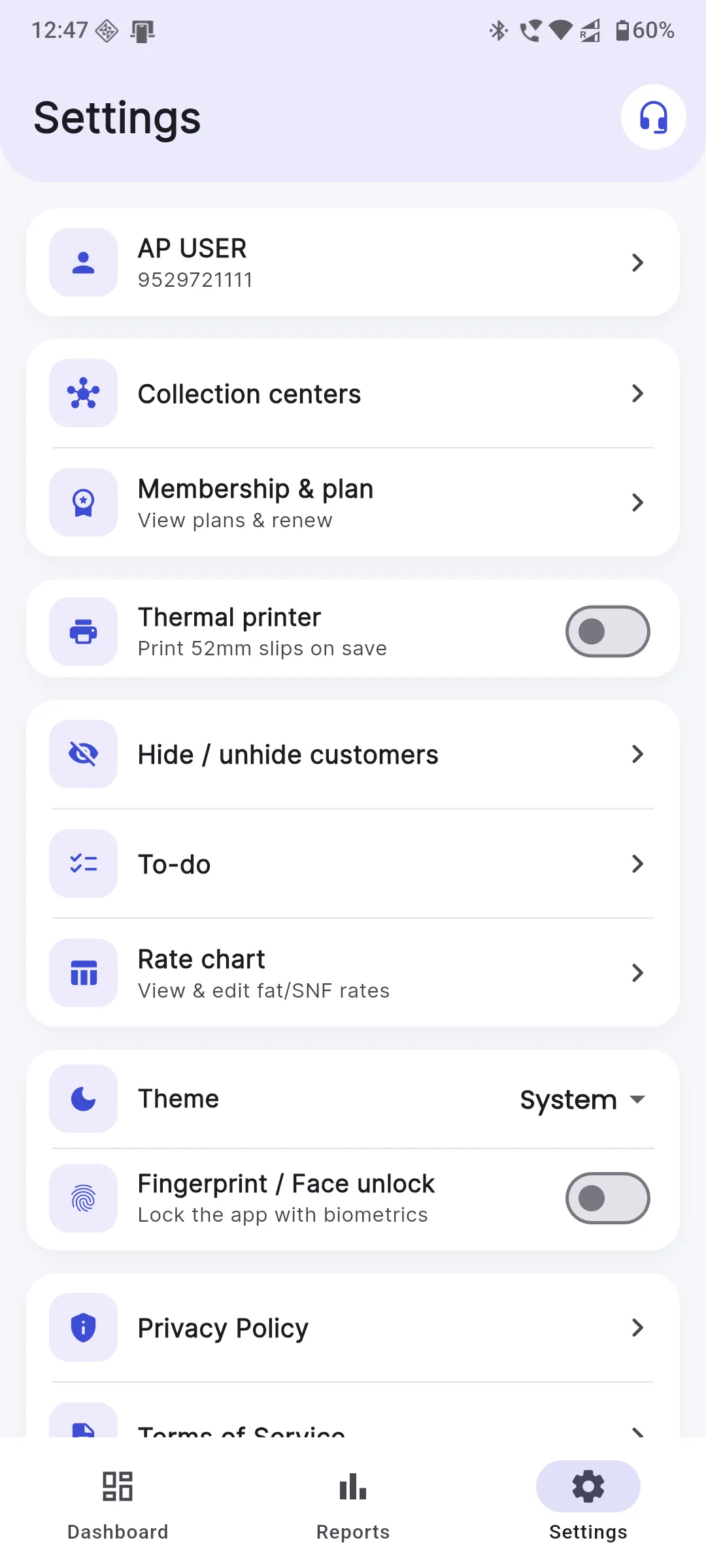
Step 1 — Turn it on in Settings
Open Milk Sarthi and go to Settings. Look for Fingerprint / Face unlock and switch it on. That's the whole setup — there is no new password to invent and nothing to write down. From that moment, the app asks for your fingerprint or face every time it opens. If you ever want to turn it off, the same switch is right where you left it.
Step 2 — Choose fingerprint or face
App lock does not ask you to enrol a new fingerprint or scan your face again. It simply uses the biometrics your phone already trusts — the same finger you use to unlock the handset, or the same face unlock you set up when the phone was new. So whichever your phone supports is exactly what Milk Sarthi will use. If you have registered more than one finger on the phone, any of them will open the app. Nothing extra to learn.
What it protects
Once app lock is on, everything behind it stays behind your fingerprint:
- Your khatabook — every entry, litre and amount for every party.
- Party balances — who owes you, whom you owe, and the running totals.
- Mobile numbers — the contact details of your farmers and buyers.
- Reports — collection summaries, period bills and payment records.
None of this is meant for the farmer standing at the counter or the helper covering the evening shift. App lock keeps it yours.
Good phone habits
App lock does its job best when the phone around it is looked after too. A few plain habits go a long way. Set a proper screen lock on the phone itself — a PIN or pattern — so the handset is not wide open before the app even loads. Never read out an OTP to anyone who asks for it, no matter how official the call sounds; a genuine helper never needs your one-time password. And keep the app updated from the Play Store so you always have the latest security fixes. None of this is complicated, and together it puts a strong, quiet wall around your dairy's data.
Peace of mind if the phone is lost
Phones get dropped in the shed, left in an auto, or simply go missing. The worry is usually two-sided: is my data gone, and can a stranger see it? With Milk Sarthi both worries ease. Your khatabook, balances and reports are tied to your account and sync, so they are never trapped on one handset. Get a new phone, install the app, sign in, and your whole ledger comes back exactly where you left it. And because app lock is on, whoever finds the old phone still hits the fingerprint gate and gets nowhere. You lose a phone, not your business.
Key takeaways
- The counter phone is shared, but your khata and balances are private — lock them separately.
- App lock puts a fingerprint or face unlock in front of the whole app.
- Turn it on in Settings → Fingerprint / Face unlock — no new password to remember.
- It uses the biometrics your phone already trusts, so setup takes seconds.
- Your data lives on your account, so a new phone restores everything after you sign in.
If you are just moving your dairy onto a phone, it is worth locking things down from day one — our guide on going from paper register to app in one day walks through the first steps, and app lock fits neatly at the end of that setup. Want to see everything the app does before you start? Have a look at Milk Sarthi, and if you get stuck turning on app lock, our support team is happy to help.